
Healthcare website development carries more responsibility than most industries. Patients use your site to understand symptoms and services, check credentials, confirm insurance and book care, often while worried. The site must also protect privacy and work for people with disabilities. This guide covers what we build into healthcare websites at Savoir Management. It is general information, not legal or compliance advice.
Why is healthcare going digital-first?
Patients now research providers, read reviews and book appointments online. Practices with clear, fast, easy-to-book websites win patients that slower, outdated sites lose.
Why do custom websites outperform templates in healthcare?
Custom healthcare sites are built around your specialties, patient journeys, scheduling and privacy needs. Templates often carry generic layouts, unused scripts and tracking that do not fit healthcare requirements.

What does an outdated healthcare website cost you?
Missed appointments, more phone calls, lower trust, weaker local rankings and compliance risk from old forms, plugins and tracking scripts.

How should healthcare websites handle privacy and HIPAA?
Collect protected health information only through secure, HIPAA-compliant tools with business associate agreements, keep public pages free of unnecessary tracking and review analytics and ad pixels with your compliance advisor.
HHS explains the HIPAA Security Rule and has published guidance on the use of online tracking technologies by HIPAA covered entities. Build forms and portals against the OWASP Top 10.
What are the key benefits of a custom healthcare website?
Easier booking, clearer service information, stronger trust, better accessibility and local visibility, and privacy controls designed for healthcare from the start.

Service and condition pages written for patients
Provider bios with credentials and specialties
Online scheduling or appointment requests
Insurance, location and hours information
Patient resources and FAQs reviewed by clinicians
Why does accessibility matter for healthcare sites?
Many patients have visual, hearing, motor or cognitive disabilities. Accessible design lets everyone find information and book care, and reduces ADA risk.
Follow WCAG and the DOJ's web accessibility guidance. See our ADA-compliant web development guide.
How do healthcare providers get found locally?
Build a page for each service and location, complete Google Business Profiles, earn patient reviews and add structured data for each practice.
Google ranks local results on relevance, distance and prominence (local ranking tips). Use LocalBusiness structured data and follow Google's guidance on helpful, people-first content.
How should service and condition pages be written?
Write in plain language for patients, explain what the condition or service is, who it helps, what to expect at an appointment, recovery or follow-up, costs or insurance information and how to book. Have clinicians review medical content.
Patients often arrive worried and unfamiliar with medical terms. Clear, accurate pages reduce anxiety and phone calls. A useful structure:
What the condition or service is, in everyday language
Common symptoms or reasons people seek care
What happens during the visit or procedure
Preparation, recovery and follow-up
Insurance and payment information
Which providers offer the service and where
A clear booking or contact option
Show the reviewing clinician and the date of the last review, which supports trust and helps patients judge how current the information is.
How should provider bios be presented?
Include each provider's credentials, specialties, education, board certifications, languages spoken, locations, accepted insurance and a friendly professional photo. Patients often choose a provider before they choose a practice.
Link bios to the services each provider offers and to the booking flow for that provider. A short personal statement about their approach to care helps patients feel comfortable. ProfilePage structured data can help search engines understand individual provider pages.
How should online scheduling work for healthcare?
Let patients choose the service, provider and location, see real availability and book in a few steps, with confirmations, reminders and easy rescheduling. Collect detailed health information only through secure, compliant intake tools.
Online booking reduces phone volume and captures patients outside office hours. Keep the public booking step limited to scheduling details, and handle medical history through secure patient intake systems. Automated reminders reduce no-shows. Our guide to booking system website development covers the features in detail.
How should insurance and pricing be explained?
List accepted insurance plans, explain what patients should check with their insurer, provide self-pay prices or ranges where possible and make it easy to ask billing questions.
Uncertainty about cost is a major barrier to booking. A clear insurance page, kept up to date, saves staff time and builds trust. Where you offer self-pay options, transparent pricing helps patients plan.
How should patient reviews be handled?
Encourage satisfied patients to leave reviews, respond professionally without confirming or discussing any health information, and display reviews on your website where appropriate.
Responding to reviews in healthcare requires care: do not confirm that a reviewer is a patient or reference their treatment, even if they shared details themselves. A general thank-you or an invitation to contact the office offline protects privacy. Review counts and ratings contribute to local prominence, as Google's local ranking tips explain.
How do you manage analytics and tracking safely?
Review every analytics tag, pixel and third-party script with your compliance advisor, avoid sending identifiable health information to vendors without appropriate agreements and limit tracking on sensitive pages such as patient portals and appointment details.
HHS guidance on online tracking technologies explains the risks of sharing protected health information with tracking vendors. Use privacy-focused configurations, document which tools run where and revisit the setup whenever you add new marketing tools.
How should telehealth be presented on the website?
Explain which services are available by video, how appointments work, technical requirements, privacy safeguards and how to book. Make the telehealth link and instructions easy to find before the appointment.
A simple telehealth page reduces confusion and missed appointments. Include a short checklist: device, internet connection, a quiet private space and how to join. Send the same instructions in appointment reminders.
How do multi-location practices organize their websites?
Give each location its own page with address, hours, phone number, providers, services, parking and directions, and link each Google Business Profile to its matching page.
Consistent details across your website, Business Profiles and directories help patients and search engines. Add LocalBusiness structured data for each location.
How do you measure a healthcare website's success?
Track appointment requests, online bookings, calls, new patient forms and patient portal sign-ups, while respecting privacy rules. Review which services and locations attract new patients.
Focus on aggregate, non-identifiable metrics, such as the number of booking requests by service and channel. Combine website data with front-desk records to understand which marketing brings new patients.
How often should healthcare content be reviewed?
Review clinical content at least annually and whenever guidelines, services or providers change. Update insurance lists, hours and provider information as soon as they change.
Outdated medical information or incorrect insurance details can harm patients and trust. Assign clear ownership for each section of the website and keep a simple review log.
How fast should a healthcare website be?
Patients often search on phones while unwell or stressed, so speed matters. Aim for good Core Web Vitals on mobile and keep key pages, such as services, locations and booking, especially light.
Optimize images of facilities and providers, limit third-party scripts, which also reduces privacy risk, and test pages on mid-range phones. Targets from web.dev include LCP within 2.5 seconds and INP of 200 milliseconds or less.
How does Savoir Management help healthcare providers?
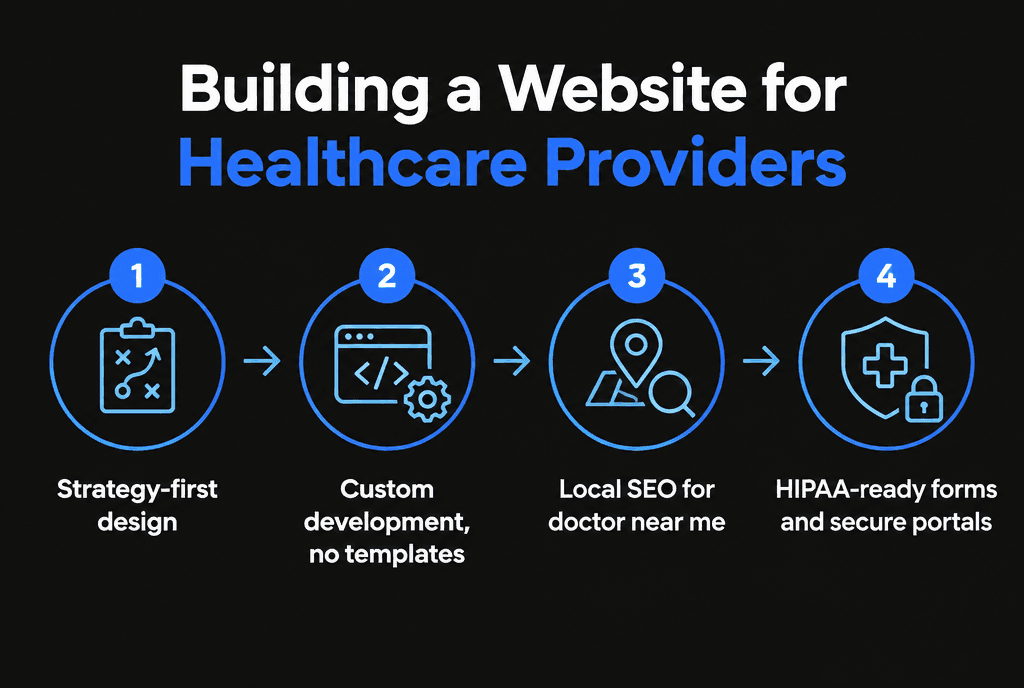
We build fast, accessible, privacy-aware healthcare websites with scheduling, service pages and local SEO, and we coordinate with your compliance team on forms and tracking.
Our web development team builds healthcare sites. Practices that rely on appointments should read our guides to booking system website development and why your website might be losing bookings.


