User experience web development services focus on a simple idea: a site that is easy to use sells more. You can buy more traffic, or you can convert more of the traffic you already have. UX-driven development does the second. This guide explains the business case, the process and the mistakes we see most often at Savoir Management.
What is the business case for UX-driven development?
UX improvements raise conversions on existing traffic, reduce support requests and make every marketing dollar work harder. Because they compound across all channels, they are often the highest-return website investment.
Visitors decide fast. Nielsen Norman Group found that users often leave pages within 10 to 20 seconds unless the page communicates clear value. UX makes that value obvious.

How does UX-driven development work?
It follows a cycle: research users, define their key tasks, design the structure and flows, prototype and test with real people, build, measure and iterate. Decisions are based on evidence, not opinions.
Research: interviews, analytics, support tickets and search queries.
Information architecture: organize content around user tasks and language.
Wireframes and prototypes: test layouts before visual polish.
Usability testing: watch real users attempt key tasks.
Build and measure: launch, track conversions and keep improving.
What usability principles should every site follow?
Clear navigation, consistent design, visible feedback, error prevention and recognition over recall are the core principles. Nielsen Norman Group's 10 usability heuristics remain the standard checklist.
Review key pages against the 10 usability heuristics. Write for scanners: people often read in patterns such as the F-shaped pattern, so front-load headings and the first words of paragraphs.
Which UX mistakes cost companies conversions?
Clunky navigation, overdesigned pages, slow load times and ignoring accessibility are the costliest mistakes. Each one blocks some visitors from finding information or completing a task.
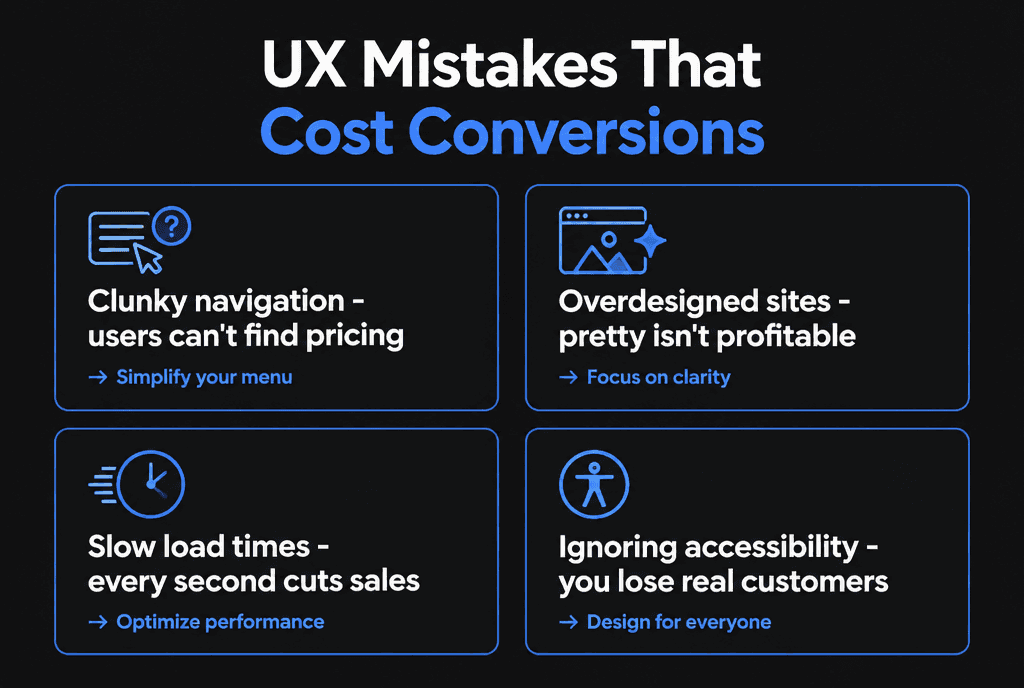
If users need a map to find pricing, navigation has failed.
Pretty is not profitable when animations hide content or slow pages.
Every extra second of loading loses impatient visitors.
Inaccessible sites exclude real customers and create legal risk.
Why is accessibility part of UX?
Accessible design makes a site usable for people with disabilities and easier for everyone: clearer contrast, keyboard support, descriptive labels and readable text help all users, especially on mobile.
The Web Content Accessibility Guidelines (WCAG) are the global standard. The W3C's introduction to web accessibility explains who benefits. Read our guide to ADA-compliant web development.
How does performance shape user experience?
Speed and responsiveness are part of UX. Pages that load slowly, shift while loading or lag after taps feel broken, even if the design is good.
Google's Interaction to Next Paint (INP) metric measures responsiveness; a good score is 200 milliseconds or less. See our site speed guide.
What is the ROI of UX-driven development?
ROI comes from higher conversion rates, larger orders, fewer support requests and lower acquisition costs. Measure it by comparing conversion rate and cost per acquisition before and after UX changes.

Example: a site with 5,000 monthly visitors converting at 1.5% produces 75 leads. Lifting conversion to 2.25% through UX fixes adds about 37 leads a month with no extra traffic.
How do you know which UX changes to make first?
Start where traffic and drop-off are both high: the homepage, top landing pages, pricing and checkout or contact flows. Fix the issues users stumble on most often in testing.
Combine analytics funnels with five-user usability tests to find the biggest problems quickly. For checkout-heavy sites, Baymard Institute's research is a useful benchmark for abandonment.
How do you research what users need?
Combine analytics, which shows what people do, with qualitative research, which shows why. Interviews, usability tests, surveys and support tickets reveal problems that numbers alone cannot explain.
A lightweight research plan for most businesses:
Review analytics for high-exit pages and abandoned flows
Read support emails, chat logs and reviews for repeated questions and complaints
Interview five to ten recent customers about how they chose you
Watch a handful of people complete key tasks on your site
Nielsen Norman Group's research suggests testing with about five users per round uncovers most usability problems, which makes regular testing affordable.
How should navigation and information architecture work?
Organize content around how users think, not how your company is structured. Use clear labels, limit top-level menu items and make the most important actions available from every page.
Card sorting, where users group topics into categories, helps you design menus that match expectations. Keep labels plain ("Pricing," "Services," "Contact") rather than clever. Breadcrumbs help on larger sites, and site search helps when content is extensive. Every page should answer "Where am I, what can I do here and where can I go next?"
How do forms affect user experience?
Forms are where many conversions are won or lost. Short forms with visible labels, helpful inline validation, clear error messages and the right input types reduce frustration and abandonment.
Nielsen Norman Group's form design recommendations include keeping forms concise, using visible labels instead of placeholder text and grouping related fields. Tell users what will happen after they submit and how quickly you will respond.
How does content design affect UX?
People scan web pages, so content must be easy to skim: descriptive headings, short paragraphs, bulleted lists, plain language and the most important information first.
Nielsen Norman Group's research on the F-shaped reading pattern shows that users read the start of lines and headings more than the rest. Front-load key words, use meaningful link text instead of "click here" and support text with relevant images or diagrams.
How do you measure UX improvements?
Track task success, conversion rates, time to complete key tasks, error rates and user satisfaction before and after changes. Combine analytics with periodic usability tests to see both results and reasons.
Set a baseline before redesigning, then measure the same tasks afterward. A redesign that looks better but makes booking slower is not a UX improvement. Our guide to conversion-focused web development covers conversion measurement in more detail.
How often should UX be revisited?
Treat UX as continuous. Review analytics monthly, run small usability tests each quarter and revisit major flows whenever products, services or audiences change.
Small, regular improvements avoid the cost and risk of large redesigns every few years. Keep a backlog of UX issues ranked by impact, and fix a few each month.
How do trust signals fit into UX?
Trust is part of the experience. Clear contact details, real photos, transparent pricing, reviews, security indicators and up-to-date content reassure visitors that they are dealing with a credible business.
Users notice small signs of neglect, such as broken links, outdated copyright years or stock photos that clearly do not show your team. Each one adds doubt. Place trust signals where decisions happen: reviews beside forms, guarantees near prices, secure payment information at checkout and a visible phone number in the header for businesses that take calls. Consistent design and copy across the site also signal professionalism.
How does UX differ on mobile and desktop?
Mobile users have smaller screens, touch input and often less time and patience, so mobile UX needs larger targets, shorter content blocks, simpler navigation and fewer steps. Desktop users can handle denser layouts and comparison tasks.
Design mobile first, then enhance for larger screens, and test both. Watch for desktop features that break on phones, such as hover menus, wide tables and pop-ups. WCAG's target size guidance sets a minimum of 24 by 24 CSS pixels for interactive targets, with some exceptions; primary buttons should usually be larger. Our mobile-responsive development guide covers mobile UX in detail.
How do you get UX-driven web development?
Look for a team that starts with research, tests prototypes with users, designs for accessibility and speed, and commits to measuring results after launch.
Our web development team builds UX-driven sites, and related guides cover conversion-focused development, landing pages and website redesigns.