
The website builders vs web developers debate usually starts with price. Builders look cheap and fast; developers look expensive and slow. The real comparison is total cost over three to five years and what each option does for your revenue. Here is an honest look at both, from the migrations we handle at Savoir Management.
When is a website builder the right choice?
Builders are a good choice for simple brochure sites, early-stage businesses testing an idea and owners who want to update everything themselves with no technical help.
If you need five pages, a contact form and a quick launch, a builder like Wix or Squarespace may be enough.
What are the hidden costs behind "cheap" builders?
Monthly plans, premium templates, paid apps and plugins, extra storage, email, booking and e-commerce add-ons and transaction fees accumulate. After a few years, total cost can rival a professional build without the custom results.

Add up three years of plan fees plus every paid app before comparing quotes.
How do builders limit performance and SEO?
Builder templates often load scripts and features you do not use, limit control over code and URLs, and restrict advanced technical SEO. That matters most in competitive markets where every speed and relevance improvement counts.
Google measures loading, responsiveness and stability with Core Web Vitals. If a builder template cannot meet LCP within 2.5 seconds on mobile, your options to fix it are limited.
What security and compliance risks should you consider?
Builders handle hosting security, which is a real benefit, but you depend on the vendor for fixes and features. For compliance needs such as accessibility or healthcare privacy, limited control can make it harder to meet requirements.
Accessibility: templates do not guarantee WCAG conformance. The Department of Justice explains how the ADA applies to websites in its web accessibility guidance.
Security: custom features should be built against the OWASP Top 10 risks, whoever builds them.

Who owns your website on a builder?
You own your content, but the design and functionality live on the vendor's platform. If prices rise, features disappear or you outgrow it, you usually rebuild rather than move.
Open-source platforms like WordPress can be hosted anywhere, which is one reason it powers about 40% of all websites according to W3Techs. Custom-coded sites are fully portable.

What does a web developer do differently?
A developer plans the site around your goals, builds only what you need, optimizes speed and SEO, integrates your tools and gives you full control and ownership. You pay more upfront for a site designed to grow revenue.
Strategy: sitemap and conversion plan before design
Custom features and integrations
Performance tuning and technical SEO
Ownership, portability and documentation
Ongoing maintenance and improvement
How do builders handle e-commerce and booking?
Most builders offer built-in stores and booking, which work well for small catalogs and simple services. Limits appear with complex products, custom pricing, multiple locations, advanced integrations or high transaction volumes.
If your store or booking needs are straightforward, a builder's native tools can be the fastest route. Check transaction fees, payment options, how inventory and staff schedules are managed, and whether the tools connect to your accounting, CRM or marketing systems. When requirements grow, dedicated platforms such as Shopify for e-commerce or specialist scheduling software, integrated into a professionally built site, usually serve better. See our guides to e-commerce upgrades that increase sales and booking system website development.
How much technical SEO control do builders give you?
Builders cover the basics, such as titles, descriptions and sitemaps, but often limit control over code, page speed, structured data, URL structures and advanced technical fixes. That matters more in competitive markets.
Structured data is a good example. Google's introduction to structured data explains how markup helps search engines understand content. Some builders add basic markup automatically but make it hard to customize. Similarly, image formats, script loading and caching may be fixed by the platform. If search is a major source of customers, check what you can control before committing.
What does migrating from a builder involve?
Migration means exporting or copying content, rebuilding design and functionality on the new platform, mapping every old URL to a new one with permanent redirects, and testing forms, tracking and SEO before switching the domain.
Most builders do not export a working website you can host elsewhere, so the design and features are rebuilt rather than moved. The content, images and URLs are what you carry over. Follow Google's guidance on site moves with URL changes and use our website launch checklist to avoid losing traffic.
Can a developer customize a builder site?
Yes, within limits. Developers can improve design, structure, copy, SEO settings and integrations on many builders, which can be a cost-effective middle step before a full rebuild.
If your builder site is mostly fine but underperforms, a professional audit and targeted improvements may be enough for now. Typical fixes include clearer messaging, better page structure, faster images, improved forms and proper tracking. When the platform itself blocks progress, a rebuild becomes the better investment.
What should you ask before choosing a builder or a developer?
Ask how important the website is to revenue, which features you need now and in two years, who will maintain it, how much control you need over SEO and speed, and what the total cost will be over three years.
Honest answers usually make the choice clear. A website that is central to winning customers, needs integrations or competes in a crowded market justifies professional development. A simple online presence for a new or small business can start on a builder. Our comparison of DIY vs professional web development walks through the same decision with cost examples.
How do total costs compare over three years?
Builders have low upfront costs and predictable subscriptions, but add-ons, apps and limitations accumulate. Developer-built sites cost more upfront, with lower platform fees and more control, plus maintenance.
To compare fairly, add up three years of builder plans and paid apps, the value of your own time spent building and maintaining, and the likely cost of a future rebuild. Compare that with a professional build plus hosting and maintenance. Then estimate the leads or sales each option is likely to produce. For many businesses that depend on their website, the developer route costs less per customer won.
What are the warning signs that a builder is holding you back?
Paying for more and more apps, struggling to fix speed issues, being unable to add features you need, losing ground in search and spending hours on workarounds are the clearest signs.
Other signals include design changes that break layouts on mobile, form or booking tools that do not connect to your CRM, limited control over redirects and structured data, and support answers that boil down to "that isn't possible on this plan." If several of these apply, compare the cost of continuing with the builder against a professional rebuild. Our article on 10 signs it's time to hire a web development agency lists more indicators.
Can you start on a builder and switch later?
Yes. Many businesses start on a builder, prove demand and then move to a professional site. Planning ahead makes the switch smoother: own your domain, keep content organized and use a clean URL structure.
Register your domain separately from the builder so you can point it anywhere later. Keep copies of your text and images. Use simple, descriptive URLs that you can recreate or redirect on a new platform. When the time comes, map every old URL to its new page with permanent redirects to protect search rankings.
How do you choose the right path forward?
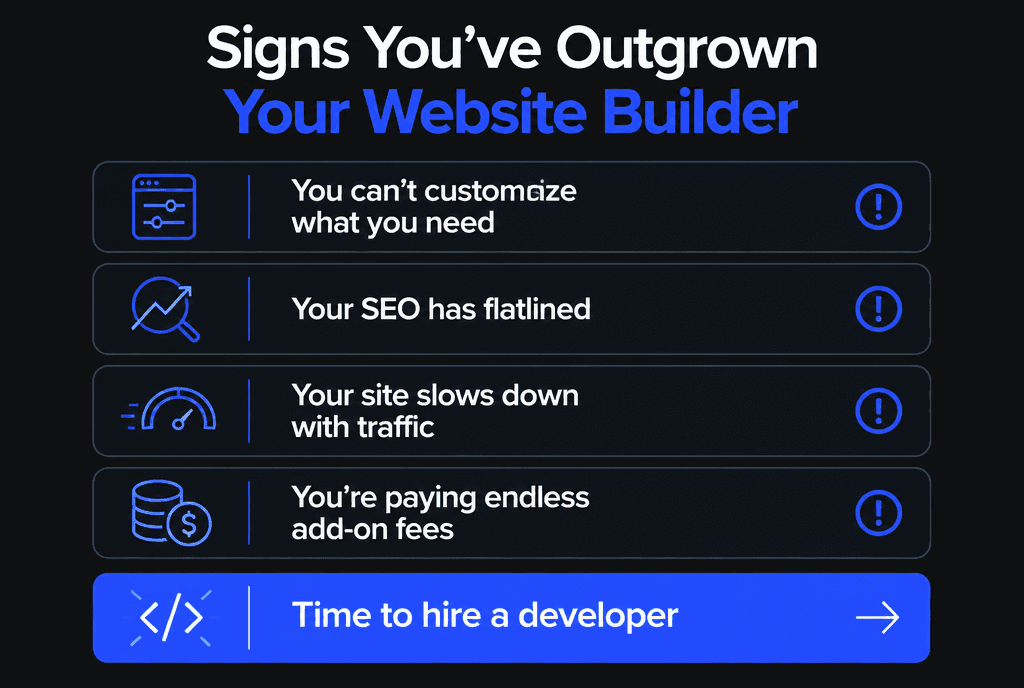
Stay on a builder while it supports your goals. Switch when you cannot customize what you need, SEO has flatlined, the site slows down with traffic or add-on fees keep growing.
When you switch, map every old URL to its new page with redirects so you keep rankings. Read our guides on professional web development vs DIY, how much a custom website costs and why WordPress is still a strong choice. Our web development team handles builder migrations end to end.


