AI-integrated web development has moved from novelty to practical tool. Businesses now use AI on their websites to answer questions instantly, qualify leads, personalize recommendations and help visitors search. The difference between useful and risky AI comes down to scope, data and safeguards. This guide covers what works, what to avoid and how we approach AI features at Savoir Management.
What does AI-integrated web development mean?
It means building AI capabilities, such as assistants, recommendations, smart search or automated analysis, into a website so visitors get faster answers and businesses capture more qualified leads. AI is a feature of the site, not a replacement for good structure and content.
What are the core benefits of AI on a business website?
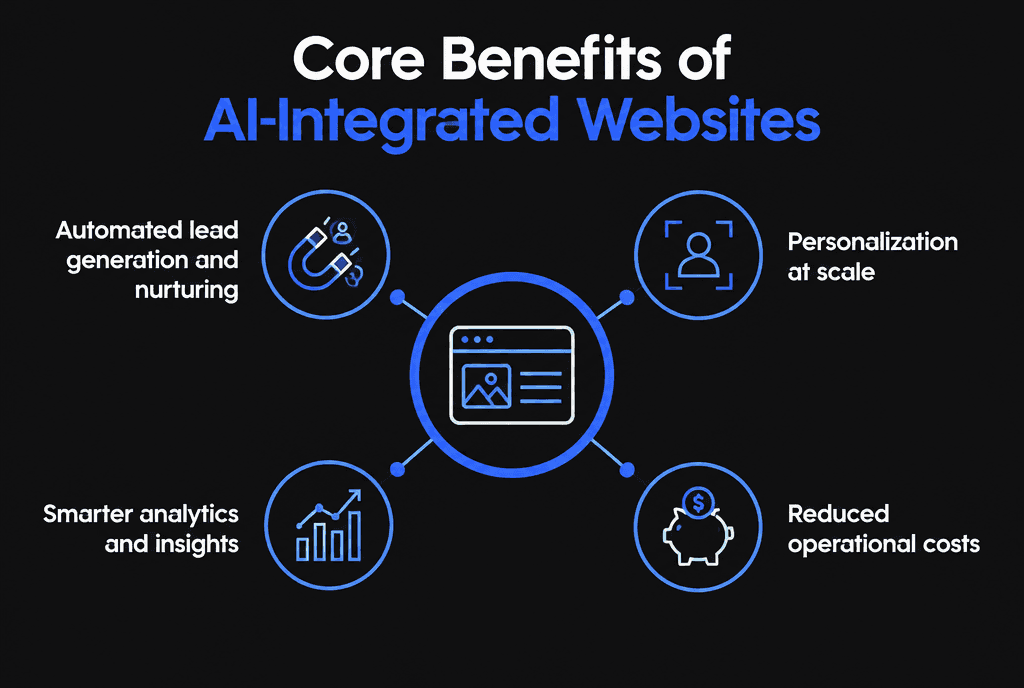
The main benefits are automated lead capture and nurturing, personalization at scale, smarter analytics and lower operational costs for repetitive questions.
Lead qualification: an assistant asks a few questions, scores the inquiry and routes it to the right person or booking link.
Personalization: product or content recommendations based on what a visitor is viewing.
Search: semantic search that understands questions, not only exact keywords.
Insights: summaries of common questions and objections from conversations.
Which AI features are worth building first?
Start with the feature tied to your biggest bottleneck: an assistant if staff spend hours answering the same questions, lead qualification if sales calls are poorly qualified, or search and recommendations if visitors struggle to find products.
Build one feature, measure it, then expand. Each feature should have a clear success metric, such as resolved questions, booked calls or revenue per visitor.
What are common misconceptions about AI in web development?
The biggest misconceptions are that AI replaces your team, that it can answer anything accurately without your data, and that AI content automatically hurts SEO. In practice, AI works best on a narrow job with your approved content and a human backup.
On SEO, Google's guidance on AI-generated content says it focuses on content quality rather than how content is produced. Its generative AI content guidance also warns that scaled content made mainly to manipulate rankings violates its spam policies.

How do you keep AI features secure and accurate?
Restrict assistants to approved content, never expose sensitive data in prompts, test for prompt injection, log and review conversations, and provide an easy handoff to a person. Treat AI features like any other software that handles customer data.
The OWASP Top 10 for Large Language Model Applications lists risks such as prompt injection, sensitive information disclosure and excessive agency. NIST's AI Risk Management Framework offers voluntary guidance for managing AI risks across design, deployment and monitoring.
How should you prepare your business for AI-integrated web development?
Organize the content the AI will use, define what it should and should not answer, decide when it hands off to staff, and set up analytics to measure results. Good inputs matter more than the model you choose.
Gather FAQs, policies, service descriptions and pricing rules in one place.
Remove outdated or conflicting information.
Write escalation rules: billing, complaints, legal or medical questions go to a person.
Define success metrics before launch.

Does AI change how websites rank in search?
AI search features summarize and cite web content, which rewards clearly structured pages that answer questions directly. The same fundamentals apply: helpful content, clear headings, structured data and fast, crawlable pages.
Add structured data where it fits, answer key questions early on each page and keep content up to date. Our guide to SEO-optimized web development covers the foundations.
What does it cost to add AI to a website?
Off-the-shelf AI chat or search tools cost little to set up but carry monthly fees. Custom AI features built on APIs, your data and integrations cost more and need ongoing testing. Budget for monitoring, not just the build.
See how much a custom website costs and our guide to building scalable web apps if AI is part of a larger platform.
Which AI features can you add without custom development?
Many AI features come as ready-made tools: website chat assistants trained on your content, AI-assisted search, smart form routing, product recommendations in e-commerce platforms and writing assistants in your CMS.
Off-the-shelf tools are the fastest way to test whether AI helps your visitors. Start with a narrow use case, such as answering common questions about services, pricing and hours, and measure whether it reduces support requests or increases conversions. Move to custom development only when you need deeper integration with your own data, workflows or brand experience.
What data do AI features need?
AI features are only as good as the information they draw on. Clean, current website content, product data, FAQs and policies are the foundation, along with clear rules about what the AI should and should not answer.
Before adding an AI assistant, audit the content it will use. Outdated prices, conflicting policies or missing information produce confident but wrong answers. Write clear source documents for common questions, define topics that should always be handed to a human, such as legal, medical or account-specific issues, and review conversation logs regularly to find gaps.
How should you handle privacy and security with AI chat?
Tell users when they are talking to an AI, avoid collecting sensitive data in chat unless necessary, choose vendors with clear data-handling terms and protect against prompt injection and data leakage.
The OWASP Top 10 for large language model applications describes risks such as prompt injection, sensitive information disclosure and excessive agency. Practical safeguards include limiting what the AI can access, never letting it take irreversible actions without confirmation, filtering what it can reveal and logging interactions for review. Update your privacy policy to describe how chat data is used and stored.
How should AI-generated content be used on your site?
AI can speed up drafting, but published content should be reviewed, fact-checked and improved by people with real expertise. Google evaluates content on helpfulness and quality, not on whether AI was involved.
Google's guidance on using generative AI content explains that content created primarily to manipulate rankings violates its spam policies, regardless of how it was produced. Use AI for outlines, first drafts, summaries and variations, then add first-hand experience, original examples and verified sources. Our article on SEO-optimized web development covers the content quality signals that matter.
How do you measure the ROI of AI features?
Define the business outcome before launch, such as fewer support tickets, faster lead response, higher conversion rate or larger order values, and compare results with a baseline period or control group.
Track usage, resolution rates, escalations to humans and conversions from AI-assisted sessions. If an AI assistant answers many questions but conversion does not change, review whether it is guiding people to the next step. Costs include licensing or usage fees, setup and ongoing content maintenance, so include those in the calculation.
Are AI features accessible?
AI interfaces must be accessible like any other part of the site: keyboard operable, compatible with screen readers, clearly labeled and easy to close. Always offer a non-AI way to get help.
Test chat widgets and AI search with a keyboard and screen reader, follow WCAG and make sure the widget does not block content on small screens. A visible phone number or contact form gives users a reliable alternative.
What does a phased AI rollout look like?
Start with one low-risk, high-volume use case, measure it for a few weeks, improve the content behind it and only then expand to more complex features or deeper integrations.
A typical sequence is an AI assistant answering public questions about services and policies, then AI-assisted search across your content, then lead qualification that routes inquiries to the right person, and finally integrations with your CRM, booking or order systems. Each phase builds on clean data and lessons from the previous one. Keep a human review step for anything that affects customers' money, health or legal position, and tell users when they can reach a person instead.
How do you get started?
Pick one problem, define the data and guardrails, build a small version, measure it for a month and expand only if it works.
Our custom web development team builds AI features into new and existing sites. Learn more on our web development page.